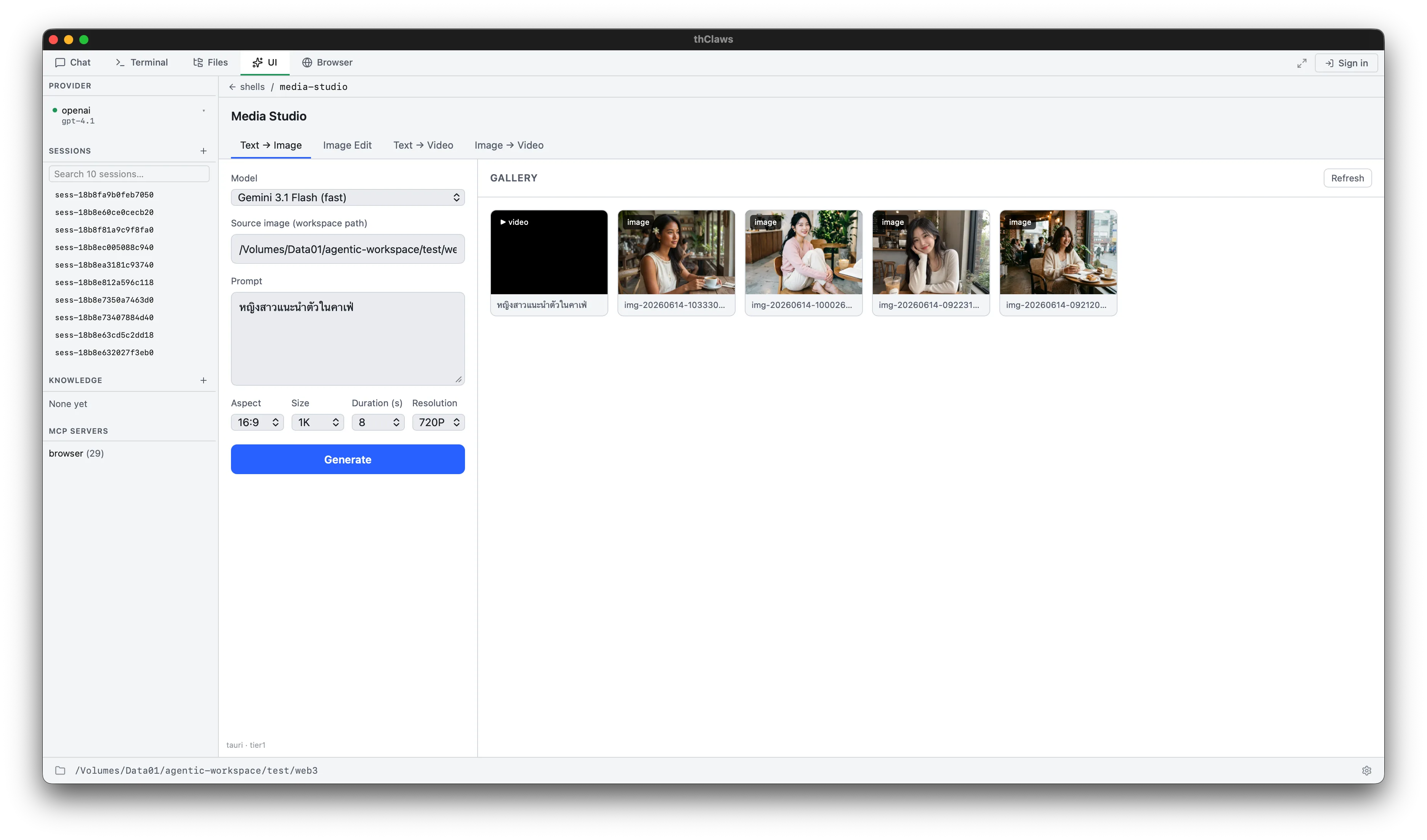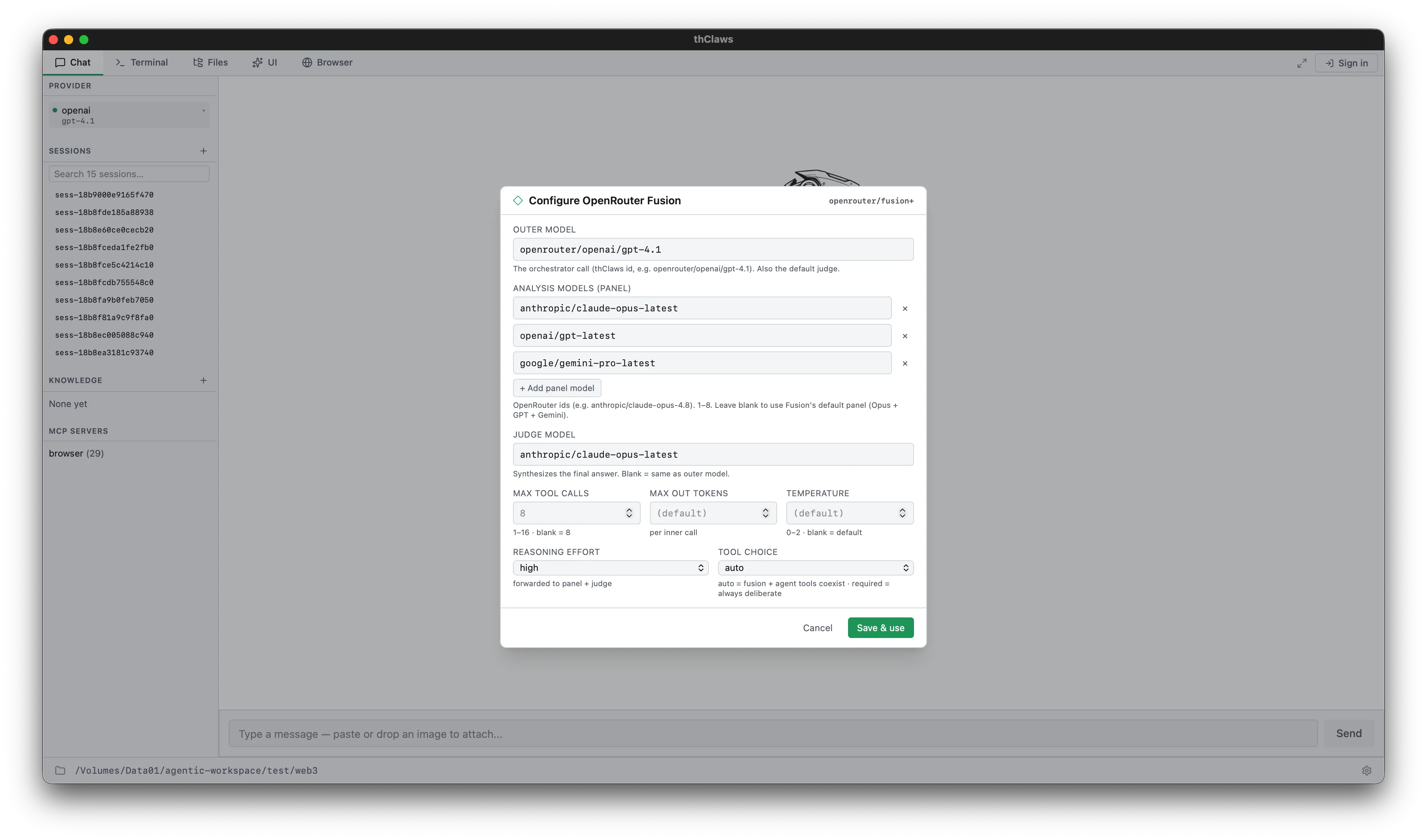
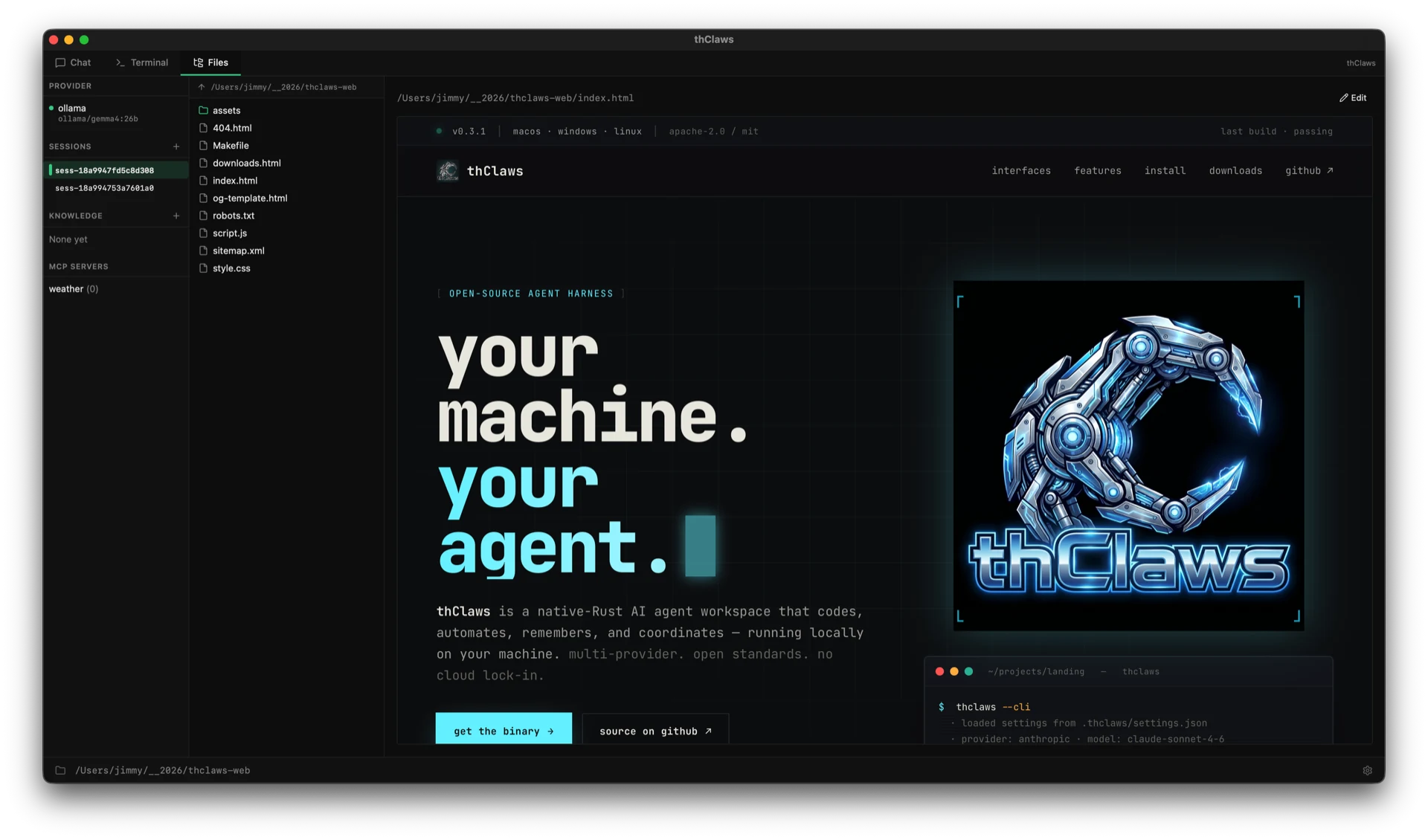
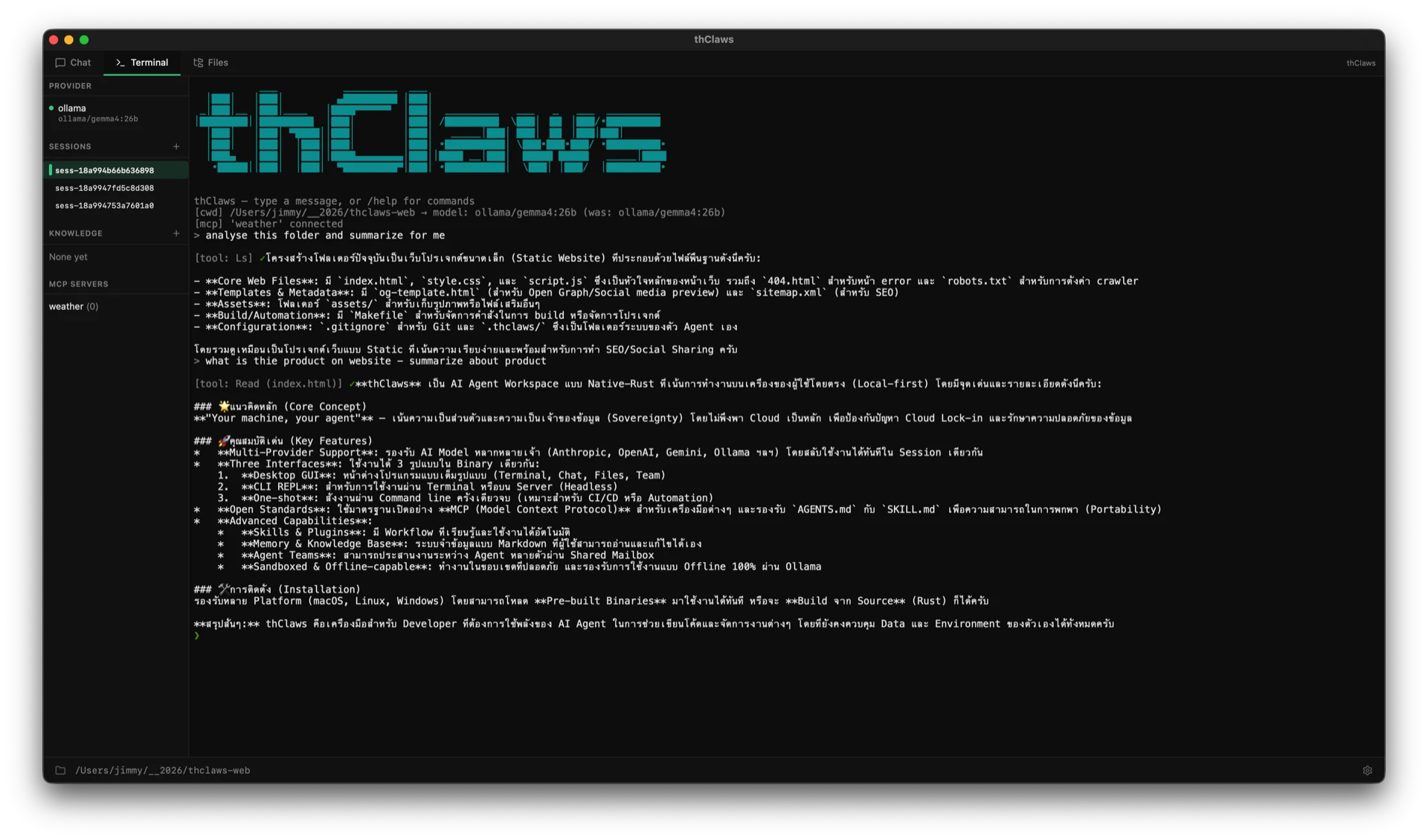
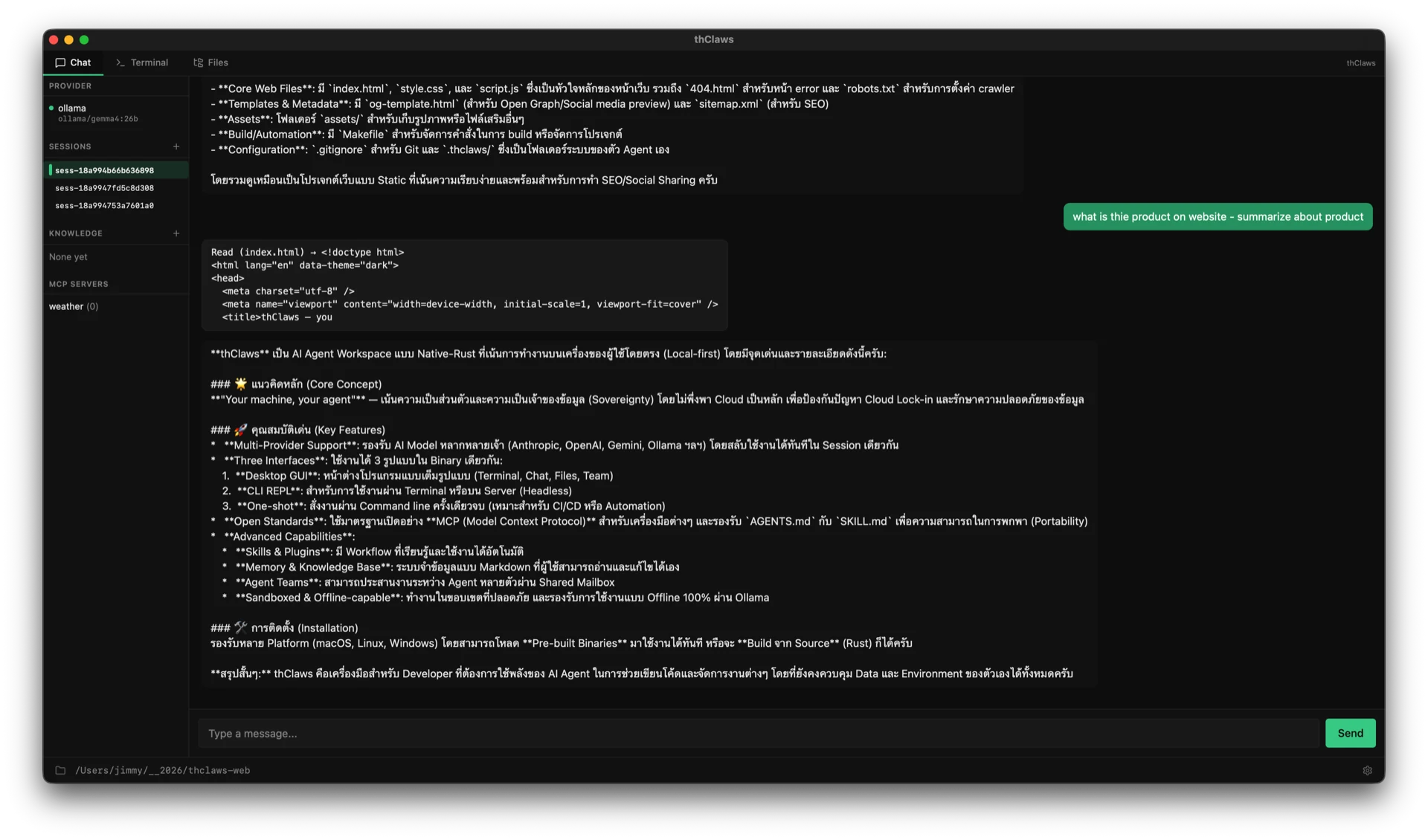
Desktop GUI
$ thclaws
Native window. Terminal, Chat, Files, and optional Team tabs. Theme-aware (light / dark / system).
thClaws is a native-Rust AI agent workspace that codes, automates, remembers, and coordinates — running locally on your machine. multi-provider. open standards. no cloud lock-in.
Three tabs. One binary. Captured live from a session of thClaws looking at this very site.
The same engine, the same sessions, the same config — dressed for whichever surface you prefer. Switch freely; your history follows you.
$ thclaws
Native window. Terminal, Chat, Files, and optional Team tabs. Theme-aware (light / dark / system).
$ thclaws --cli
Interactive prompt for SSH, headless servers, or zero-GUI sessions. Every slash command works identically.
$ thclaws -p «…»
Single turn, then exits. Compose with other tools, drop into CI pipelines, or fire from a shell one-liner.
Not a chat wrapper. A full agent harness with the surface area to actually get work done — and the boundaries to do it safely.
Anthropic, OpenAI, Gemini, Alibaba DashScope, OpenRouter, Ollama, Agentic Press — auto-detected by model name.
MCP for tools. AGENTS.md for project instructions. SKILL.md for packaged workflows. Portable.
Reusable expert workflows the agent picks up automatically when a request matches the trigger.
Plug in third-party tools — GitHub, filesystems, databases, browsers, Slack — over stdio or HTTP.
Skills + commands + agent definitions + MCP servers bundled under a single manifest. One install, one version.
Persistent store classified as user / feedback / project / reference — stored as markdown you can read and edit.
Per-project and per-user wikis the agent can search and read on demand. Grep + read — no embeddings to manage.
Orchestrate multiple thClaws processes through a shared mailbox. Lead and teammates coordinate via task queue.
Filesystem sandbox scopes file tools to the working directory. Destructive shell commands are flagged before exec.
Run entirely against a local Ollama model — no cloud round-trip, no API key, no network.
Every knob in .thclaws/settings.json. API keys go in the OS keychain by default; .env fallback for CI.
Prefix any line with ! to run a shell command directly — no tokens, no approval, no agent round-trip.
Pre-built binaries for six targets. Or build from source if that's more your speed.
# Apple Silicon
curl -L https://github.com/thClaws/thClaws/releases/latest/download/thclaws-v0.4.1-aarch64-apple-darwin.tar.gz \
| tar -xz && sudo mv thclaws /usr/local/bin/
# Intel
curl -L https://github.com/thClaws/thClaws/releases/latest/download/thclaws-v0.4.1-x86_64-apple-darwin.tar.gz \
| tar -xz && sudo mv thclaws /usr/local/bin/
# x86_64
curl -L https://github.com/thClaws/thClaws/releases/latest/download/thclaws-v0.4.1-x86_64-unknown-linux-gnu.tar.gz \
| tar -xz && sudo mv thclaws /usr/local/bin/
# aarch64
curl -L https://github.com/thClaws/thClaws/releases/latest/download/thclaws-v0.4.1-aarch64-unknown-linux-gnu.tar.gz \
| tar -xz && sudo mv thclaws /usr/local/bin/
# PowerShell — x86_64
iwr -Uri https://github.com/thClaws/thClaws/releases/latest/download/thclaws-v0.4.1-x86_64-pc-windows-msvc.zip -OutFile thclaws.zip
Expand-Archive thclaws.zip -DestinationPath $env:USERPROFILE\bin
# or via the .ps1 installer
iwr -useb https://thclaws.ai/install.ps1 | iex
# prereqs: rust 1.78+ · node 20+ · pnpm 9+
git clone https://github.com/thClaws/thClaws.git
cd thClaws/frontend && pnpm install && pnpm build && cd ..
cargo build --release --features gui --bin thclaws
./crates/core/target/release/thclaws # GUI
./crates/core/target/release/thclaws --cli # REPL
./crates/core/target/release/thclaws -p "…" # one-shot
Browse all assets & SHA-256 sidecars on the downloads page or the github releases tab.
Your code, your prompts, your conversations stay on your machine. Files in your filesystem; sessions on your disk; keys in your OS keychain. Cloud is opt-in per request, never the default.
Switch providers mid-session. Run an Anthropic model in the morning, an Ollama model on a flight, an OpenAI model when you need a one-shot. The harness doesn't care; your prompts and skills come with you.
Built on the conventions the agent-tooling industry is
converging on. MCP. AGENTS.md. SKILL.md.
Your config is portable to every harness that speaks the
same standards — and to whatever comes next.
One command. No account. No telemetry phone-home. The binary runs, you tell it what to do.